Fast Laptop SSD Upgrade in Ocala, FL | Make Your Laptop Run Like New
Fast Laptop SSD Upgrade in Ocala, FL
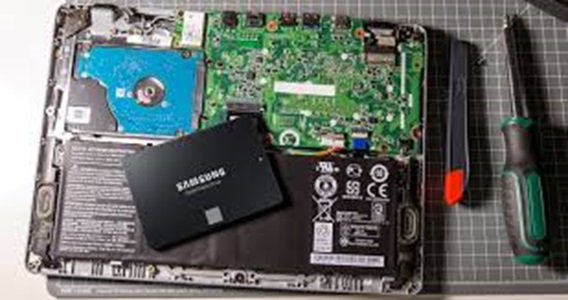
Is your laptop painfully slow? A fast SSD (solid-state drive) upgrade can make your Windows laptop feel like new again—often in just one visit.
Call or text now: 352-274-5725
Why an SSD Upgrade Is the Best Fix for a Slow Laptop
If your laptop takes forever to start, freezes when you open programs, or struggles with simple tasks, the most common bottleneck is the old mechanical hard drive. Upgrading to a high-speed SSD is one of the fastest and most cost-effective ways to speed up a laptop in Ocala.
With a professional SSD installed you can expect:
- Much faster startup and shutdown times
- Apps and web browsers loading in seconds instead of minutes
- Smoother multitasking and overall better performance
- Cooler, quieter operation with less wear and tear
Our Fast SSD Upgrade Service in Ocala
We provide complete Fast Laptop SSD Upgrade services in Ocala, FL, so you don’t have to worry about losing your files or setting everything up again.
Our SSD upgrade service typically includes:
- SSD recommendation & hardware upgrade – We help you choose the right size and type of SSD for your laptop and install it correctly.
- Data transfer or cloning – Your important files, pictures, and documents are moved from your old drive to the new SSD.
- Windows reinstall or optimization – We can either clone your existing setup or perform a clean install of Windows for the best performance.
- Startup & tune-up – We remove junk programs, adjust startup apps, and make sure your system is running fast and smooth.
If you’re in Ocala or nearby areas like Belleview, Silver Springs Shores, Dunnellon, or The Villages, we can help you get your laptop running like it should.
Will I Lose My Files During an SSD Upgrade?
That’s one of the biggest concerns people have before upgrading. Our goal is to keep your data safe. During your laptop SSD upgrade, we:
- Back up your important files before making changes
- Transfer your documents, pictures, and other personal data
- Make sure everything is accessible on your new drive before we’re done
If your old drive is failing, we’ll do our best to recover as much data as possible and let you know what we can save.
How to Know If You Need an SSD Upgrade
Your laptop is a strong candidate for an SSD upgrade if:
- It takes more than a minute or two to fully start up
- Programs like Chrome, Word, or Outlook keep “Not Responding”
- You hear constant clicking or grinding from inside the laptop
- The laptop is several years old but you’d rather upgrade than replace it
In many cases, you don’t need a brand new computer—just a fast SSD upgrade and a good tune-up.
Local Computer Repair You Can Trust in Ocala
As a local Ocala computer repair business, we take the time to explain what we’re doing in simple terms so you’re never left guessing. You’ll know what the upgrade includes, what it will cost, and what kind of speed boost you can expect from your laptop.
We’ve helped many Ocala residents upgrade older laptops that were “ready for the trash” and turned them into fast, reliable machines again with a quality SSD and basic maintenance.
For more on our laptop repair services, you can also visit our Laptop Repair in Ocala page.
Ready to Make Your Laptop Run Like New?
If your laptop is dragging and slowing you down, a Fast Laptop SSD Upgrade in Ocala might be all you need. We handle the entire process—SSD, data transfer, Windows setup, and performance tune-up.
Call or text today: 352-274-5725
Get your Windows laptop running faster, cooler, and more reliably with a professional SSD upgrade.
FAQ: Laptop SSD Upgrades in Ocala
How long does an SSD upgrade take?
In many cases, we can complete the upgrade and data transfer the same day, depending on the size of your drive and the condition of your old disk.
Can every laptop be upgraded to an SSD?
Most Windows laptops can be upgraded, but some ultra-thin models have special requirements. We’ll take a quick look and let you know your options.
Is an SSD really that much faster?
Yes. Compared to older mechanical hard drives, SSDs can dramatically reduce boot times and make your system feel much more responsive for everyday use.